
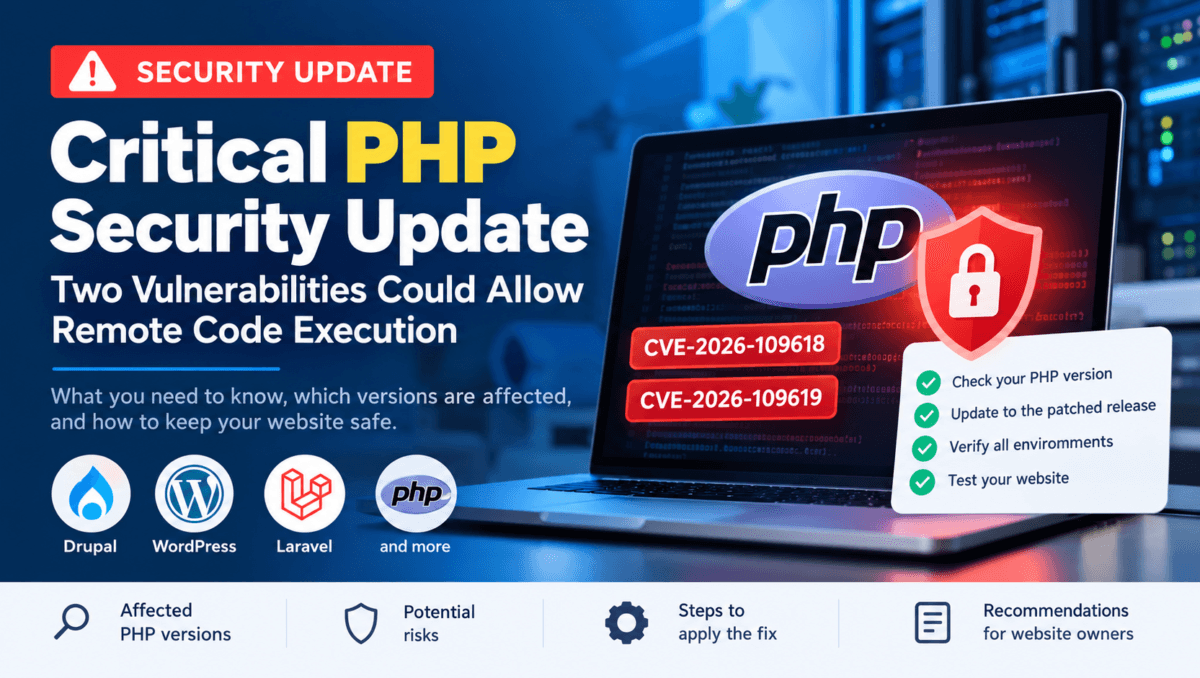
Critical PHP Security Update: Two Vulnerabilities Could Allow Remote Code Execution
PHP developers and website owners should review their server security following the release of PHP security updates addressing two critical vulnerabilities.
The vulnerabilities, identified as CVE-2026-109618 and CVE-2026-109619, could potentially allow attackers to execute code remotely without authentication on affected systems.
If your website uses PHP, including applications built with Drupal, WordPress, Laravel, or other PHP frameworks, it is important to check your PHP version and ensure the necessary security patches have been applied.
What Are the Newly Reported PHP Security Vulnerabilities?
The PHP development team has released security updates to address two vulnerabilities involving memory management and internal request handling.
1. CVE-2026-109618: Remote Code Execution
This vulnerability relates to memory handling when PHP encounters certain out-of-memory conditions. Under specific circumstances, incorrect handling of internal data may create an opportunity for an attacker to execute unauthorized code.
2. CVE-2026-109619: Remote Code Execution
This vulnerability involves the handling of internal state and memory references. Under certain conditions, incorrect memory management may allow an attacker to exploit the PHP process.
Both vulnerabilities are serious because successful exploitation could compromise a website or the server environment, depending on the application’s configuration and the permissions available to the PHP process.
A vulnerable PHP version does not automatically mean that a website has been compromised. However, applying the appropriate security update is an important step in reducing risk.
Which PHP Versions Are Affected?
The security fixes are available in the following PHP releases:
| PHP version branch | Patched release |
|---|---|
| PHP 8.2 | PHP 8.2.35 |
| PHP 8.3 | PHP 8.3.36 |
| PHP 8.4 | PHP 8.4.27 |
| PHP 8.5 | PHP 8.5.12 |
If your server is running an earlier release in one of these branches, check the official PHP security advisories and arrange the appropriate update.
For example, websites running PHP 8.2.34 should be updated to PHP 8.2.35 or a later patched release supported by their hosting provider.
Important: Always verify the actual PHP runtime used by your website. The PHP version installed on your local computer may differ from the version running on your production server.
How Could These PHP Vulnerabilities Affect Your Website?
PHP powers the server-side functionality of millions of websites. If an attacker successfully exploits a vulnerability in the PHP runtime, the potential impact can include:
Unauthorized execution of code on the server.
Exposure of sensitive application data.
Modification of website files or functionality.
Disruption of website availability.
Further compromise, depending on server permissions and configuration.
The actual impact depends on the vulnerability, hosting environment, application configuration, and whether exploitation is successful.
Keeping PHP up to date is an essential part of website security and ongoing maintenance.
How to Fix the PHP Security Vulnerabilities
Website owners and developers should follow these steps to protect their applications.
1. Check Your Current PHP Version
First, identify the PHP version running on your production website.
You can check this through your hosting dashboard or ask your hosting provider to confirm the active runtime version.
For managed hosting platforms, check each environment separately. Development, staging, and production environments may run different PHP patch versions.
2. Update PHP to a Patched Release
Upgrade to the appropriate patched PHP version supported by your hosting provider and compatible with your application.
For example, PHP 8.2 users should update to at least PHP 8.2.35 to address these two vulnerabilities.
If your hosting provider manages PHP updates, confirm that the security patch has been applied to the runtime serving your website.
Updating Drupal core, WordPress core, or a PHP framework alone does not fix a vulnerability in the underlying PHP runtime.
3. Test the Update in a Development Environment
Before applying the change to a live website, test it in a development or staging environment whenever possible.
Check the following:
Homepage and important landing pages.
Login, registration, and contact forms.
Content management and file uploads.
Custom modules, plugins, and integrations.
Scheduled tasks and background processes.
PHP error logs and application functionality.
Testing helps identify compatibility issues before they affect visitors or business operations.
4. Update All Environments
Do not check only the live website.
Verify that development, staging, and production environments are running patched PHP versions. Some managed hosting platforms roll out runtime updates at different times across environments.
If one environment remains on a vulnerable version, contact your hosting provider for assistance with the update.
5. Verify the Fix
After updating, confirm the PHP version actually serving requests and check that the website is operating normally.
Review application and hosting logs for unexpected errors. If there are signs of suspicious activity, investigate them separately. Applying a security patch does not reverse a compromise that may have occurred before the update.
What Should Drupal and WordPress Website Owners Know?
These vulnerabilities affect the PHP runtime rather than Drupal or WordPress exclusively.
Drupal Websites
Drupal website owners should verify their hosting environment’s PHP version and apply the appropriate PHP security update. They should also review Drupal core, contributed modules, custom code, and dependencies for any separate security updates.
For Drupal 10 websites, check compatibility with the existing codebase before moving to a newer PHP branch.
WordPress Websites
WordPress website owners should check their hosting provider’s PHP version, apply the appropriate security patch, and test their themes, plugins, and custom functionality.
Keeping WordPress core and plugins updated remains important, but it does not replace patching the PHP runtime.
Websites Hosted on Pantheon or Other Managed Platforms
If your website runs on Pantheon or another managed hosting platform, check the PHP version configured for each environment and confirm which patched runtimes are available.
The configuration may select a PHP branch without specifying the exact patch release. Therefore, verify the actual runtime version rather than relying only on a configuration file.
Follow your hosting provider’s recommended deployment process when updating PHP.
Plan Ahead: PHP 8.2 Security Support
PHP 8.2 reaches the end of its upstream security support on 31 December 2026.
Although PHP 8.2.35 addresses the two vulnerabilities discussed in this article, website owners should plan a move to a newer supported PHP branch.
Before upgrading, review application compatibility, Composer dependencies, PHP extensions, custom code, and hosting platform support.
Planning ahead helps reduce security risks and avoids leaving upgrades until the last minute.
Final Thoughts
PHP security updates are an important part of maintaining a safe and reliable website. These vulnerabilities are a reminder that website security involves more than updating a CMS or installing plugins.
Website owners should regularly review their server environments, apply security patches, test updates, and confirm that all production and non-production environments are protected.
If your website is running an affected PHP version, check your hosting environment and arrange the appropriate security update as soon as possible.
Need Help Securing Your Website?
At AWITIX, we help businesses maintain and improve their websites through PHP updates, Drupal and WordPress development, website maintenance, performance optimization, and security-focused technical support.
If you need help reviewing your PHP environment or updating your website safely, contact our team to discuss your requirements.